 Vminer
Mining farm management · Fleet Control
Mining farm management software: every rig, one web page
Sign in to your account in the Vminer client and that rig joins your fleet; manage it from anywhere at app.vminers.com.
- Phone / tablet / PC
- Mixed coins grouped automatically
- Mining never depends on it
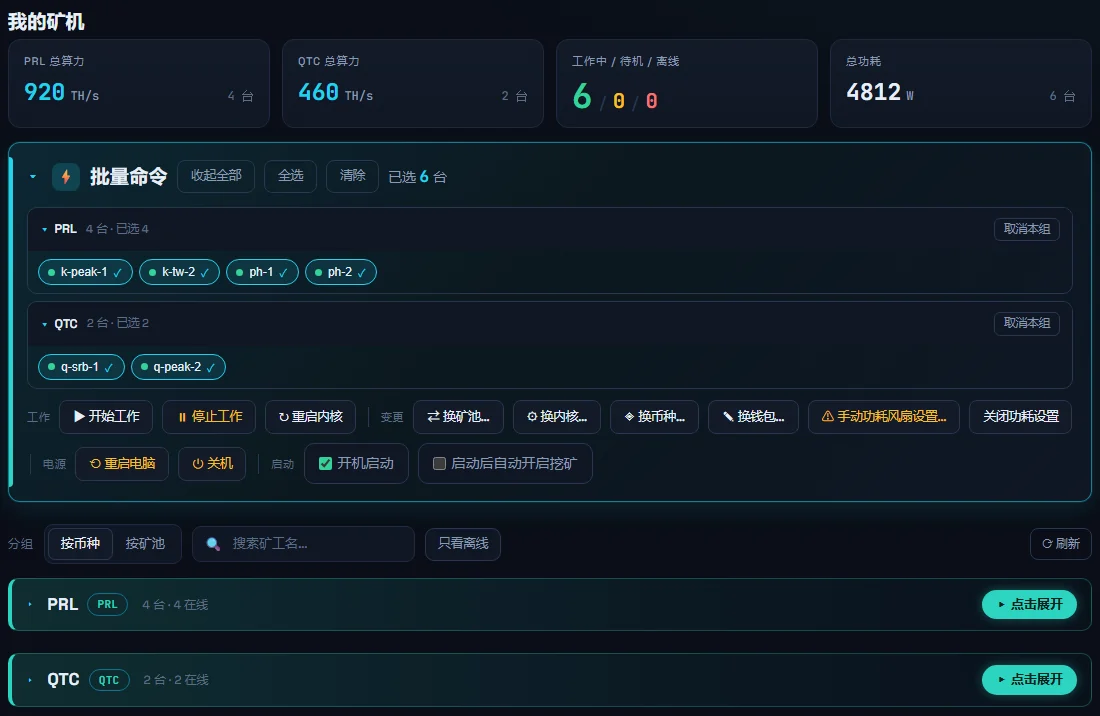
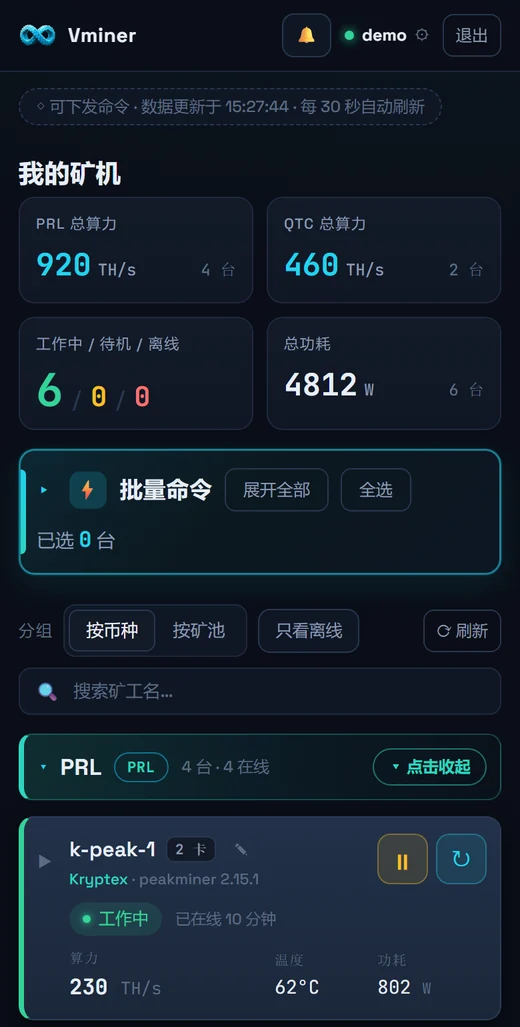
Screenshots show demo data
Everything a mining rig management system needs, in one page
Add rigs to your mining farm in three steps
- Install Vminer on each rigDownload, enter the wallet, pick a pool and start mining. On diskless systems, put it in the master image.
- Sign in in the clientThe rig joins your account automatically.
- Open app.vminers.comWorks on phone, tablet and PC; switch 中 / EN at the top right.
FAQ
Can Vminer run a crypto mining farm?
Yes. The Vminer client on each rig does the mining, and Fleet Control at app.vminers.com manages the farm: status, hashrate, temperature and power for every rig, plus start / stop, kernel restarts, pool / kernel / coin / wallet switches, power and fan tuning, renaming, reboot and shutdown — one rig or many.
How do I add a rig?
Sign in to your account in Vminer on that machine and it joins your fleet.
Can I power on remotely?
No. Shutdown works remotely; power-on needs someone on site.
Are commands lost while a rig is offline?
No — they queue and run when the rig comes back.
Can I mine without Fleet Control?
Yes. It's optional; not signing in or losing the connection doesn't affect mining.
Bulk wallet change across different coins?
The form splits by coin and leaves blank coins unchanged. Changing a wallet changes where earnings go — double-check before saving.
If the master image is signed in, are clones too?
Yes. The login lives in the Vminer folder; each clone appears as its own rig in Fleet Control.
Is the Fleet Control site in English?
Yes — use the “中 / EN” switch at the top right.
Does mining farm management cost extra?
Fleet Control is free to use. Vminer is free to download. No extra fees — Vminer only takes the kernel's 2%.